

This extension enables to integrate CmyLeads into Zoho CRM. With the help of this extension all the new leads created within CmyLeads are brought instantly into Zoho CRM.
Cmylead is a modern SaaS platform designed to help businesses manage digital business cards, AI-driven avatars, lead generation, and team branding — all in one place.
By integrating Cmylead with Zoho CRM, you can:
To use this extension, make sure you have:
Welcome to the installation guide of CmyLeads Integration with Zoho CRM. In this guide we will cover the installation steps , features and what you should avoid while using the extension.
This section will cover the step by step guide for installing the extension. As a first step will be to install the extension from Zoho Marketplace.
Step 1: Install the Extension
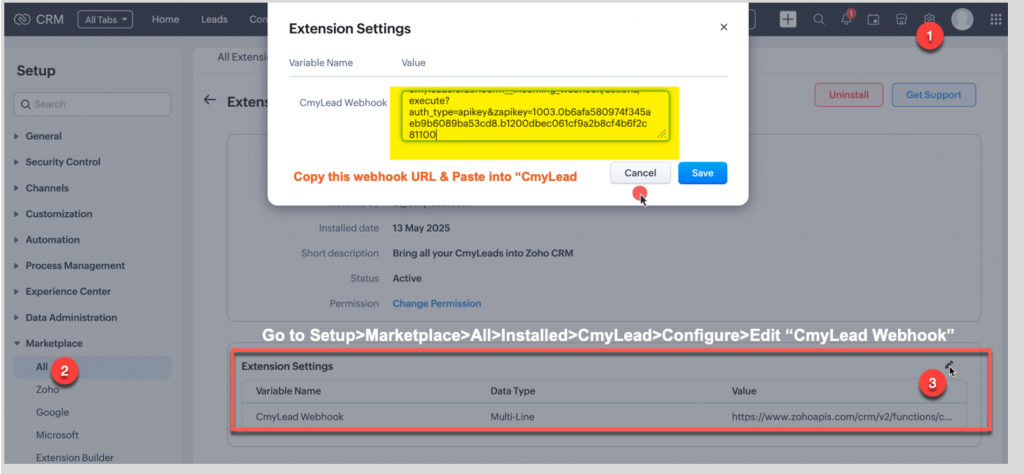
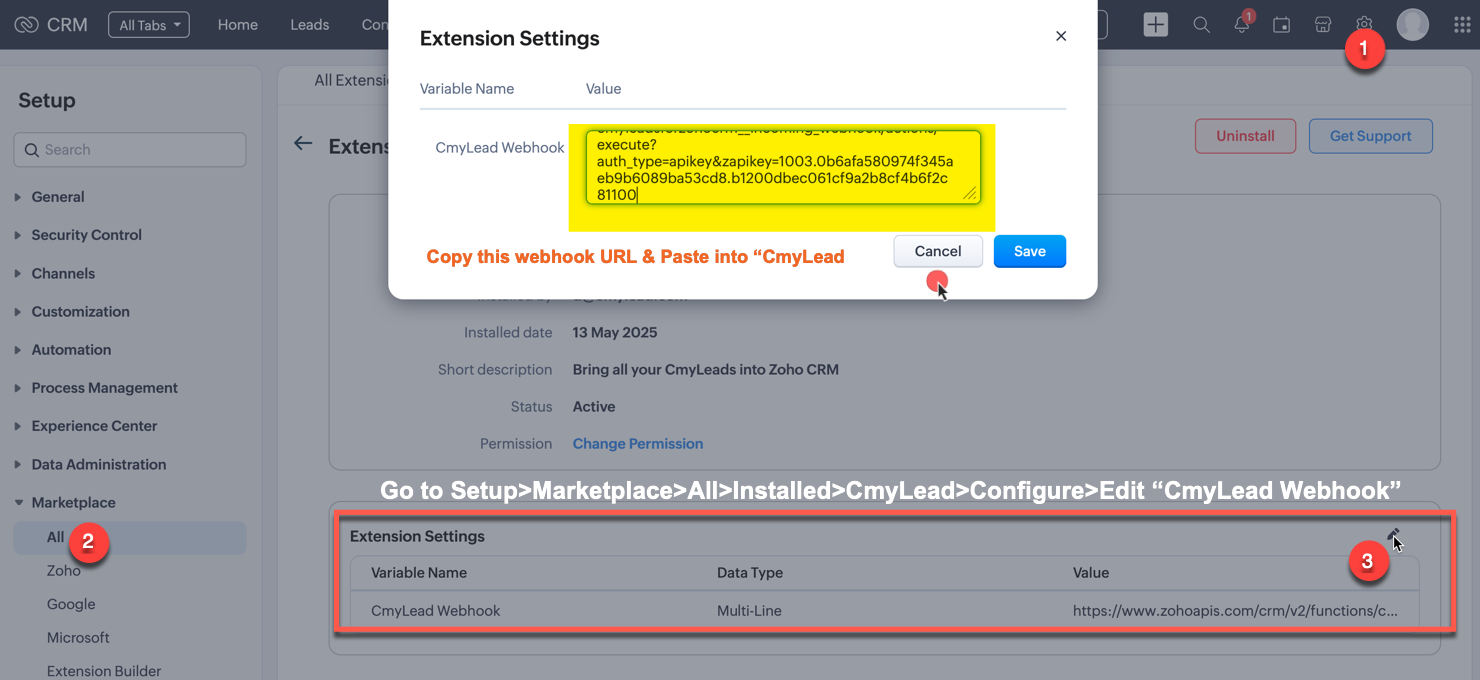
Step 2: Copy the webhook link and the open the CmyLead panel to paste the API key under Integration Panel.
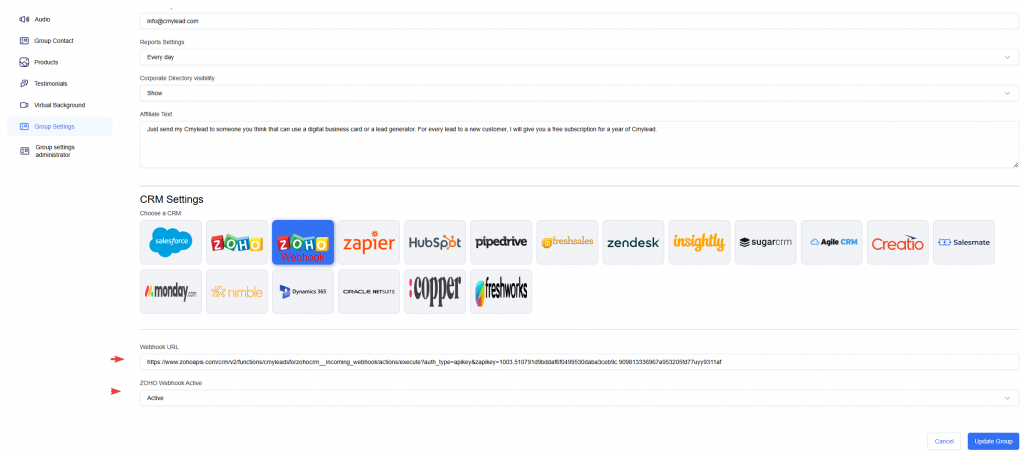
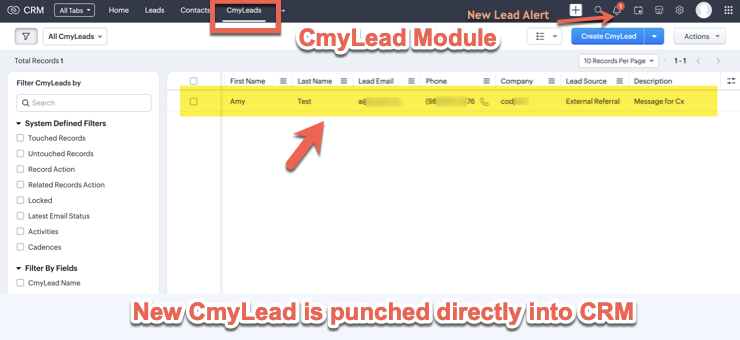
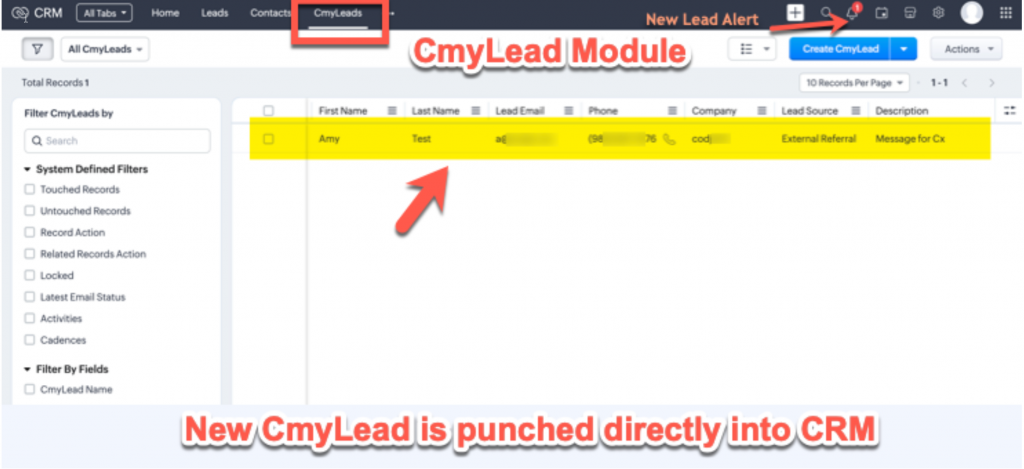
Step 3: The integration is ready to use . Once a new lead comes into CmyLeads , it will be added instantly into CmyLeads module of Zoho Crm
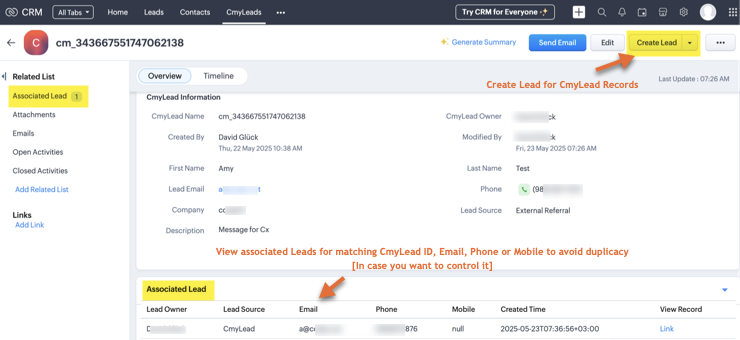
>> Bring CmyLeads into Zoho CRM’s dedicated module “CmyLeads” instantly.
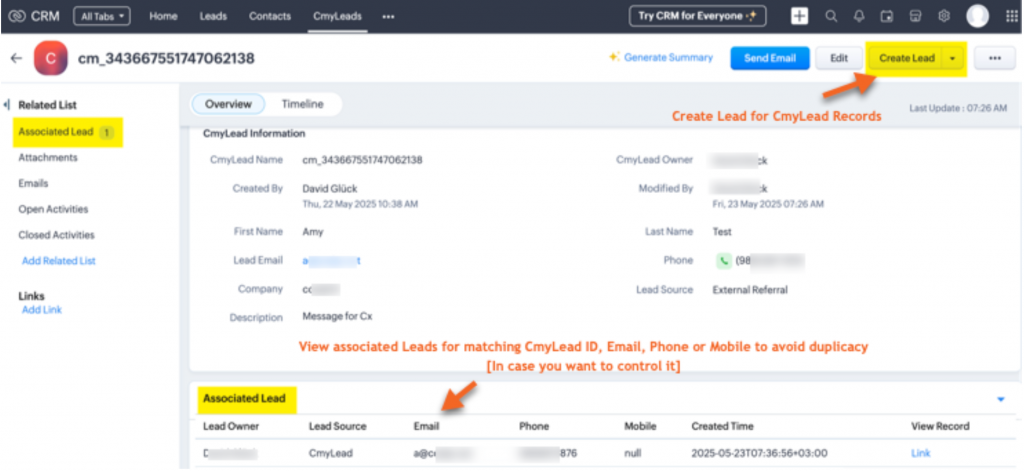
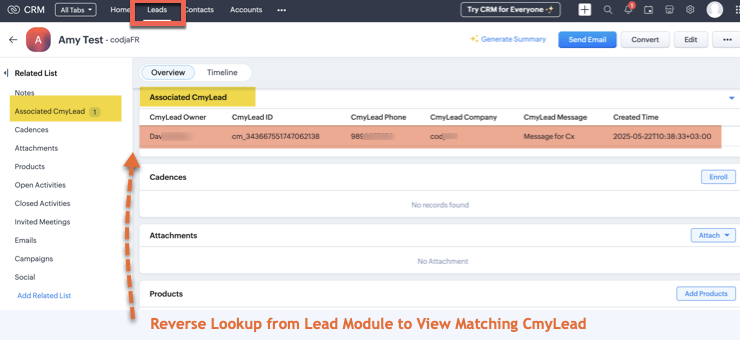
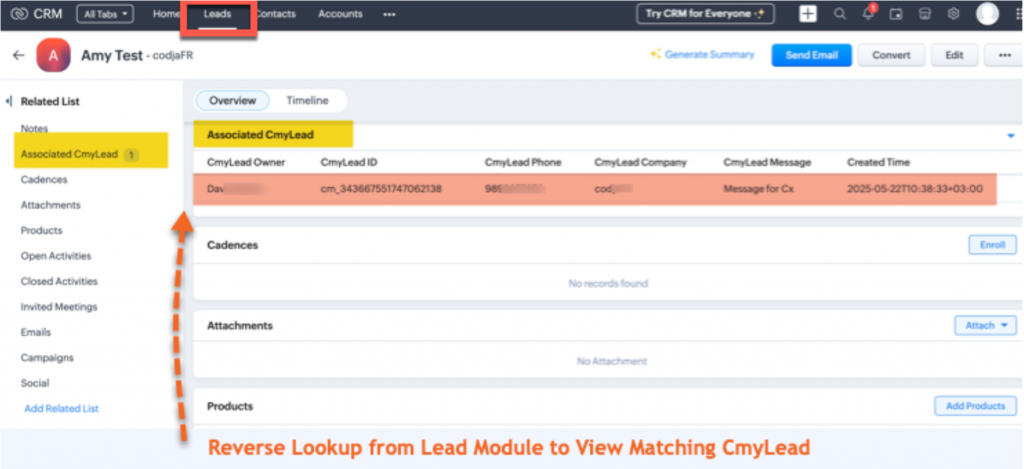
>> Reverse lookup provided at Leads module to view associated CmyLead.
For any questions or help setting up your integration, contact us:
📧 Email: info@cmylead.com
🌐 Website: www.app.cmylead.com


